Home > User Guide > Facility Guide
1. How to Turn On/Off the Entrance Light
First, please locate the black switch on the wall near the entrance, as shown in the picture.
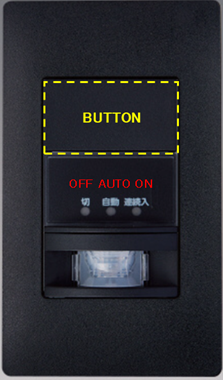
This switch allows you to change between three lighting modes.
Press the button on the upper part of the switch to toggle between the following modes:
OFF:
Light always offAUTO:
Sensor mode (light turns on automatically when motion is detected and turns off after a short time)ON:
Light always on
Please select the mode according to your preference.
2. How to Turn On/Off the Ventilation Fan
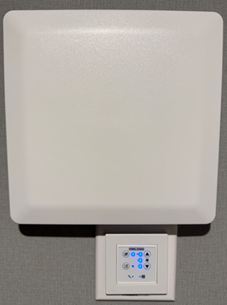
Please locate the ventilation fan and the control panel on the wall inside the room,
as shown in the image.
⚠️ Note:
For Room 103, the ventilation fan control panel is located on the 2nd floor.
This panel controls the ventilation fans on both the 2nd and 3rd floors.
How to Operate:
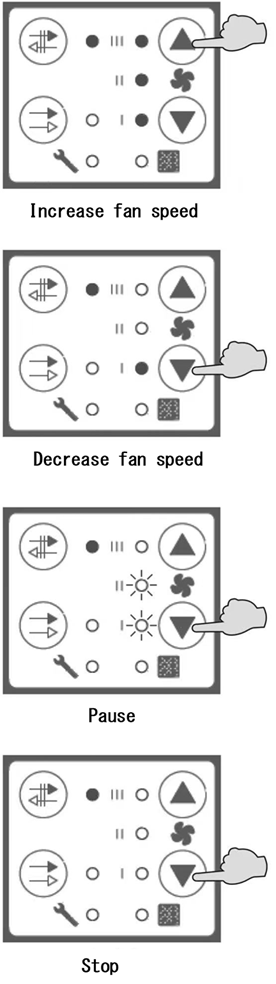
Use the ▲ (up) and ▼ (down) buttons on the control panel to adjust the fan settings:
Press ▲ to increase the fan speed.
Press ▼ to decrease the fan speed.The indicator lights (I / II / III) show the current fan speed level.
If you continue pressing the ▼ (down) button, the fan will switch sequentially to Pause, and then to Stop (completely off).
Please adjust the fan according to your comfort.
3. How to Flush the Toilet Manually
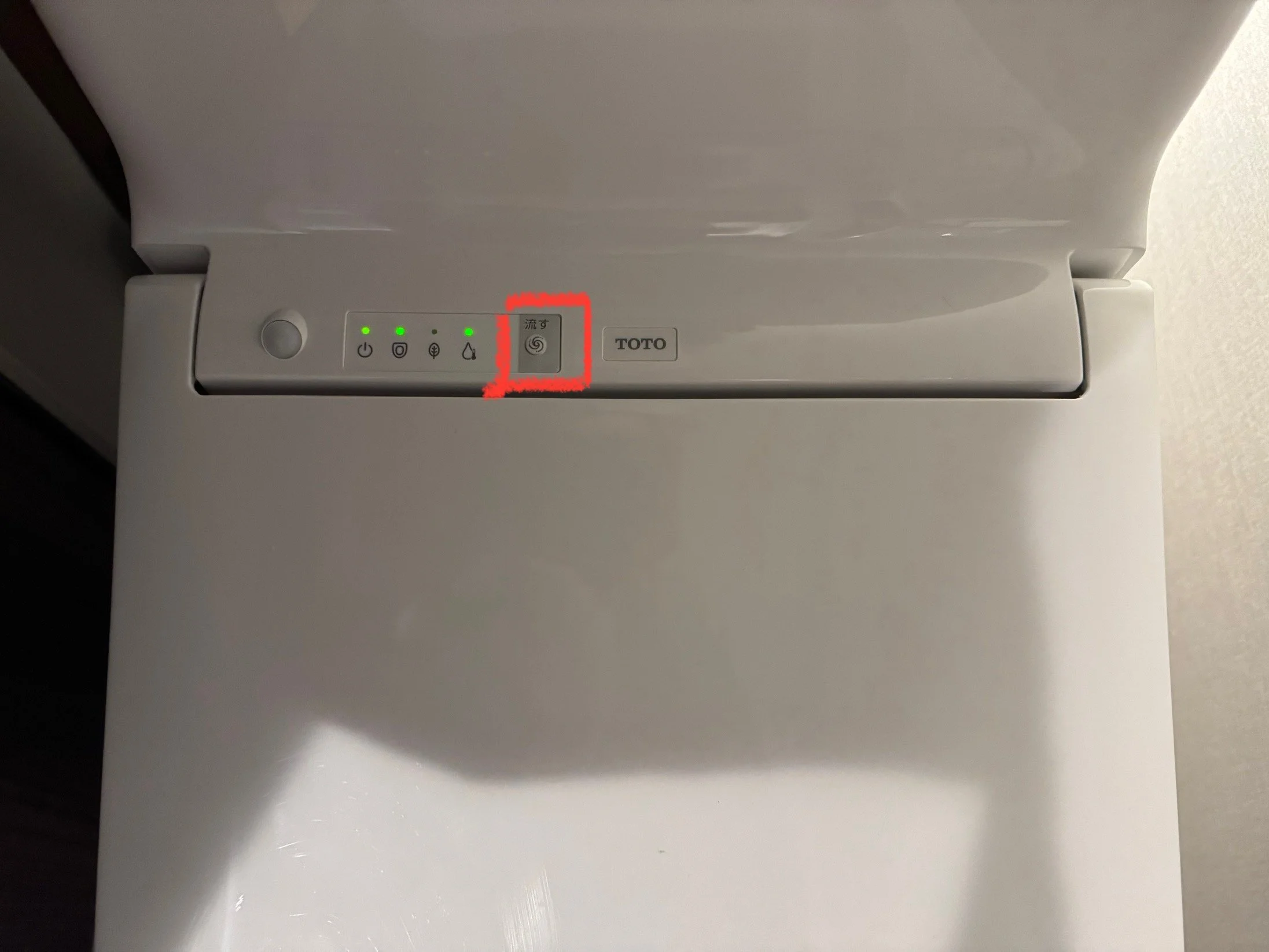
If the wall-mounted toilet remote control does not work, please press the button marked 「流す」 (Flush) on the toilet itself to flush manually.
Please refer to the image below for the location of the button.